The journalTools
Counting the tabs one Instagram account takes
Nobody sits down to build a twelve tool workflow. It arrives one tab at a time, and by the time you notice, most of your week is spent moving things between them.

In this piece
Open the browser you actually work in and count the tabs. Not the ones you meant to close, the ones you need. Most people running a single account land somewhere between nine and fourteen, and every one of them arrived for a good reason.
That is the part worth saying first. A cluttered workflow is not a discipline problem. Each tool got added because something genuinely was not working: captions were taking too long, the analytics inside the app would not go back far enough, a brand asked for an invoice and there was nowhere to make one. Every addition was correct. The total is the problem, and the total is nobody's decision, because nobody ever made it.
What one account actually takes
Here is the working list. Not a worst case: this is the ordinary set for somebody posting three or four times a week, with an occasional brand deal, running no team.
| The job | Where it usually happens | Why it left the app |
|---|---|---|
| Ideas and notes | Notes app, or a Notion page | Ideas arrive away from the desk |
| Writing captions | Notes app, then an AI chat window | Writing in the caption box means writing under pressure |
| Editing photos | Lightroom or the phone's own editor | The in-app filters stopped being enough years ago |
| Editing video | CapCut or similar | Reels need real cuts, captions and audio |
| Planning the week | A spreadsheet, or a paper calendar | Nothing in the app shows a week at once |
| Scheduling | A scheduling tool | Posting live at 7pm is not always possible |
| Checking numbers | Instagram Insights | It is the only place they exist |
| Keeping numbers | A spreadsheet | Insights does not keep them for long |
| Finding sounds and trends | The app itself, scrolling | There is no other way to see what is moving |
| Brand emails | Inbox | That is where brands write from |
| Deal terms and deadlines | The same inbox, scrolled back | Nobody sets up a system for their first deal |
| Invoices | A template, or a billing tool | Getting paid needs paperwork |
| Chasing payment | The inbox again | Nobody chases on time without a reminder |
Thirteen jobs. Some people combine two of them, most add one or two of their own. The count is rarely under nine.
Look down the third column. Not one of those reasons is wrong. This is what makes the problem hard to see: there is no bad decision anywhere in the list to point at and undo.

The cost is not the tools, it is the moving
Ask somebody what their tools cost and they will tell you the subscriptions. That is the small number. The expensive part is what happens between the tools, and it never appears on a bill.
A caption is written in one place and pasted into another. The week's plan lives in a spreadsheet that has to be checked against what actually went out. Last month's reach is retyped into a sheet because Instagram will not hold it. A brand's terms are in an email, the deadline is in a calendar, the invoice is in a third place, and the only thing connecting them is you remembering.
Follow one ordinary post the whole way through and you can see it. The idea arrives on a walk and goes into the notes app. The photo is taken on Saturday and sits in the camera roll with two hundred others. On Sunday it is edited, exported, and lands in a folder. The caption is drafted in the notes app, run through a chat window, pasted back, trimmed. Then it goes into the scheduler with a date on it. On Wednesday it publishes. On Friday the numbers are looked at, and if they were interesting, they are copied into a sheet. One post, seven places, and not one of those places knows about any of the others.
Copying is only half of it. The other half is the reload: every switch costs the few seconds it takes to remember what you were in the middle of. Nobody notices that cost in the moment, which is exactly why it adds up unchallenged. The bill arrives as a vague sense that the week was busy and you cannot say what you did.
The two duplications that cost the most
Most workflows have one or two places where the same information is deliberately kept twice, and those cost far more than the tab count does. The first is the content spreadsheet that repeats what the scheduler already holds. The second is the numbers sheet that repeats what Instagram already showed you, kept because Instagram will not keep it for you, which is a real reason and still a duplication.
Both have the same failure mode. The copy and the original drift, nobody knows which is right, and so both get checked. A duplication does not cost you the time it takes to maintain, it costs you the time it takes to distrust.
Count your own week
General claims about time are worthless. Yours are not. The rows below start at a common set of numbers; change them until the week looks like yours, including the rows where you spend less than we guessed.
- Thinking of what to post90m
- Writing captions75m
- Editing photos and video180m
- Scheduling and posting45m
- Checking and recording numbers40m
- Replying to comments and DMs120m
- Brand emails, terms, invoices, chasing60m
529 hours a year, at this pace. Move the numbers until the week looks like yours.
arithmetic: the sum of your rows, times 52
Two things usually come out of that. The first is that the total is larger than expected. The second is more useful: the biggest row is almost never the one people complain about. Most people say scheduling is the chore, and for most people scheduling is under an hour while comments and DMs quietly take three.
That gap matters because effort follows complaint rather than cost. Somebody spending forty five minutes a week on scheduling will happily spend an afternoon researching a better scheduler, and will not spend ten minutes thinking about the three hours in the row above it. The tally is worth doing for that reason alone: it tells you which problem to actually work on.
What actually reduces the number
Three things reduce the tab count. Only one of them is buying software, and it is the last one for a reason.
- Stop keeping the same thing twice. The most common duplication is a content spreadsheet that repeats what the scheduler already holds. Two copies of one plan means two things to update and one of them is always wrong. Pick the one you actually open on a Monday and delete the other.
- Give every recurring job one home. Not the best home, just one. Ideas in one place, deal terms in one place, numbers in one place. Most of the friction in a messy week is not the number of tools, it is that two of them could plausibly hold the same thing, so you look in both.
- Then collapse the tools that sit next to each other. Writing beside planning beside publishing. Deal terms beside the invoice for that deal. Numbers beside the posts they describe. Tools that share a subject are worth merging; tools that merely share a screen are not.
Notice what is not on that list: doing less. Posting less is a real option and sometimes the right one, but it is a different decision, and it should be made on purpose rather than because the workflow wore you out.
There is an order to those three steps and it is the order they are written in. People usually start at the third, because buying something is the step that feels like progress, and a new tool laid over an unresolved duplication just gives the duplication a nicer home. Delete first, decide where things live second, and only then look at what to buy. It is slower for a week and it is the only version that holds.
Where we come in, and where we do not
This is the part of the article that is about our product, and it is one section rather than the whole piece because everything above works whether or not you ever use it.
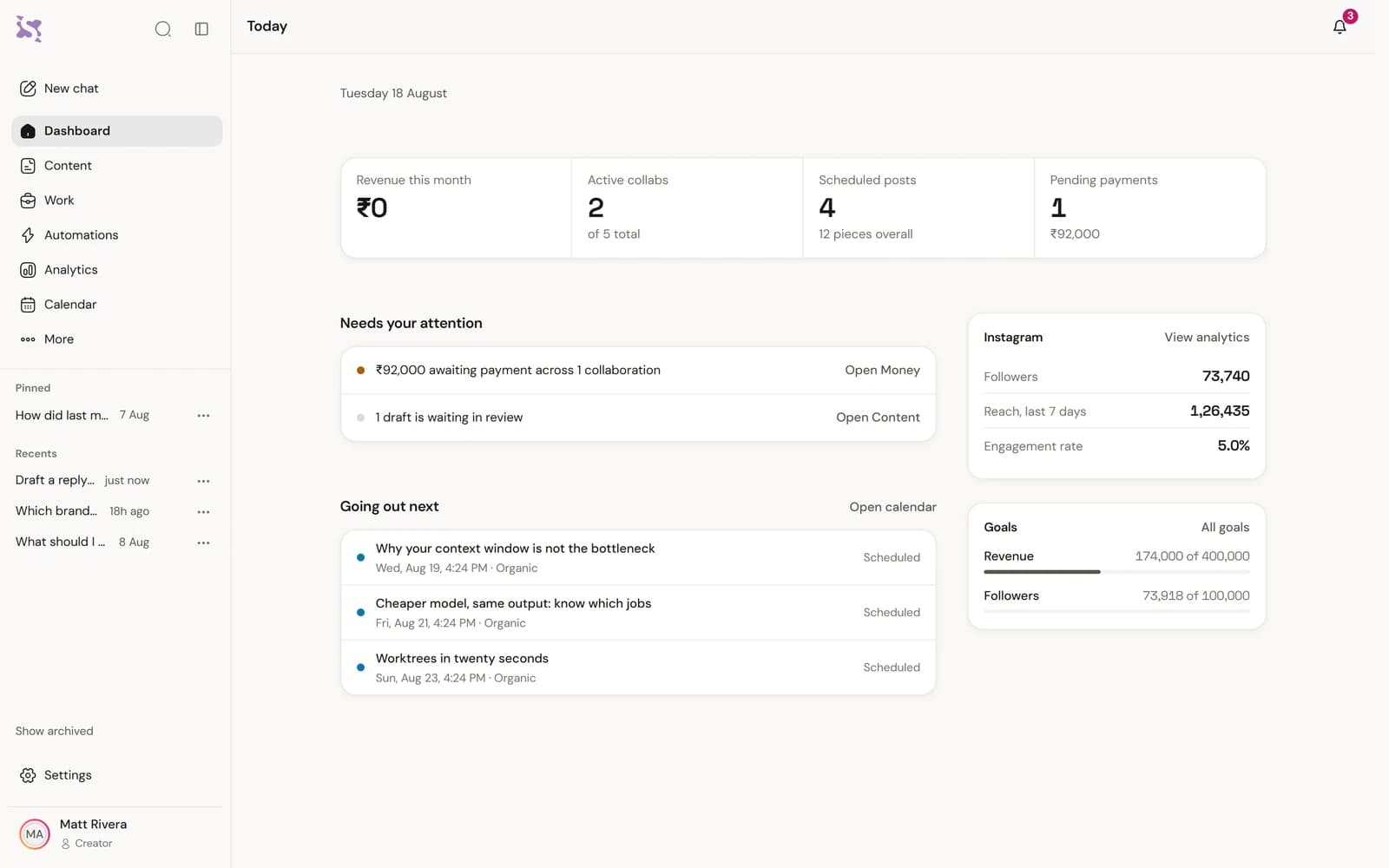
Synclify is the third step in that list applied hard. Planning, writing, scheduling, the numbers, the brand deals and the invoices for those deals sit in one place, and you work by asking in plain words: plan next week, write the caption for Thursday, why did reach drop. The assistant reads your own account before it answers, so the answer is about your posts.
It does not do everything on the list. Photo and video editing are not in it and are not going to be: those are craft tools and you already have ones you like. The comments and DMs row shrinks but does not vanish, because the part worth automating is the repetitive reply and the part worth keeping is you talking to people.
How we know: the assistant can do 400 things, and every high-risk one waits for your tap before it does anything.
Questions people ask about this
Is a single tool always better than several good ones?
No. Several good tools with one clear home each beat one tool that does everything badly. The test is whether you are copying things between them: copying is the sign that two tools are holding one job.
How many tools is normal for one account?
Nine to fourteen is the ordinary range for somebody posting a few times a week with occasional brand work. There is no correct number, and somebody at seven who never copies anything has a better setup than somebody at four who retypes their numbers every month.
What is the single biggest time saver?
For most people it is not scheduling. It is not having to work out what to post, which is why the tally above puts thinking about it first: it is the row people forget to count and the one that starts every other row.
Does moving to one tool mean losing my old work?
It should not. Before you move anything, check that whatever you pick lets you export your posts, your numbers and your deal records. A tool that makes leaving hard is telling you something.
How we checked this
- The count of actions in the product, and the rule that high-risk ones wait for a tap.



You have read how it works. Now watch it read yours.
Connect your Instagram and ask it one question. It reads the account first, so the first answer is about your posts rather than about Instagram in general.
Cancel any time. Every dashboard and report is free to open.